The best analytics for your first app
For a first app you need to know three things: is anyone downloading it, does anyone come back, and does anyone pay. Everything else can wait. Here's what each kind of tool gives you, and which one fits which kind of maker. Apparent is ours, so we say plainly where another tool is the better pick.
What you need on day one
- Downloads, and where people found the app.
- Whether people come back after the first day and the first week.
- Sales, trials and refunds, if the app charges.
- Crashes, by version.
What can wait
- Funnels and custom reports.
- Session replay.
- Feature flags and A/B tests.
- A data warehouse.
The options
- App Store Connect and Google Play Console: free and already there. Downloads, sales, ratings and crashes, one app and one store at a time, with nothing about what people do inside the app.
- Firebase Analytics: free and part of Google's toolkit. Strong if you also use Firebase for logins, messages or ads, but you read it as charts and reports.
- PostHog: product analytics with session replay, feature flags and experiments in one place. A good pick if you build for the web as well as phones and like setting things up.
- Mixpanel: deep reports and funnels, built for product teams. Worth it when you have the questions and the time to build the reports.
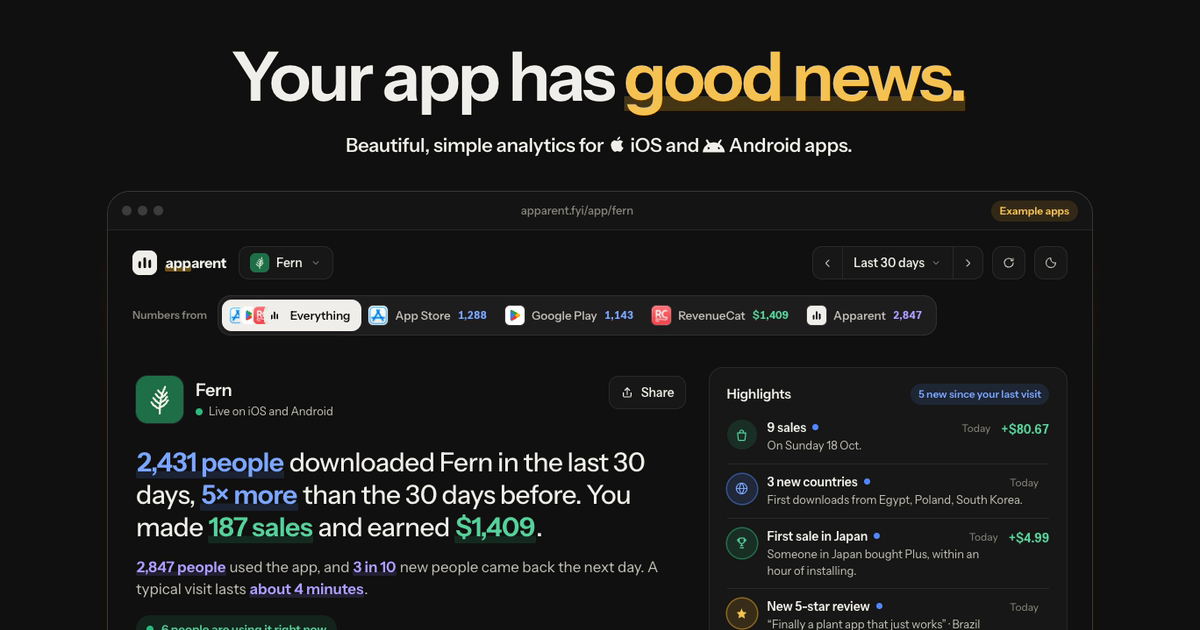
- Apparent: made only for iOS and Android apps. Store downloads, RevenueCat sales and what people do in the app on one page, written in plain words, with every app together. In a free private beta.
Which one, then
- One app, no code changes, just curious: start with the store consoles.
- An Expo or React Native app, maybe several, and you want answers without learning analytics: Apparent.
- Already on Firebase for everything else: Firebase Analytics.
- A web product plus an app, and you want replay and experiments: PostHog.
- A team with an analyst and complex questions: Mixpanel or Amplitude.
Questions
What's the simplest analytics for a first iOS app?
App Store Connect, which you already have, for downloads and sales. For what people do inside the app in plain words, and every app on one page, Apparent.
Do I need analytics before launch?
Add it before launch, so the first week is recorded. That week tells you the most.
Is free analytics good enough?
For a first app, often yes. The store consoles and Firebase are free; Apparent is free during the beta.
What's the best analytics for an Expo app?
Apparent is made for Expo and React Native, with screens recorded automatically in Expo Router. PostHog and Mixpanel also have React Native SDKs if you want more reports.
Can I switch later?
Yes. Apparent imports Mixpanel history, and running two tools side by side while you switch is normal.