Mixpanel events, next to your stores and sales
If your app already sends events to Mixpanel, you don't have to start over. Apparent reads them with a read-only service account, puts them next to your App Store, Google Play and RevenueCat numbers, and keeps reading while you add its own SDK, so nothing is counted twice.
What Apparent reads from Mixpanel
- Events
- Every event your app sent to Mixpanel, with the person, time, country, device and app version.
- History
- Past events, read once and kept.
- Today
- New events about every 10 minutes, including today's.
- One person, once
- Someone both Mixpanel and Apparent's SDK saw is counted as one person.
How it reads on your page
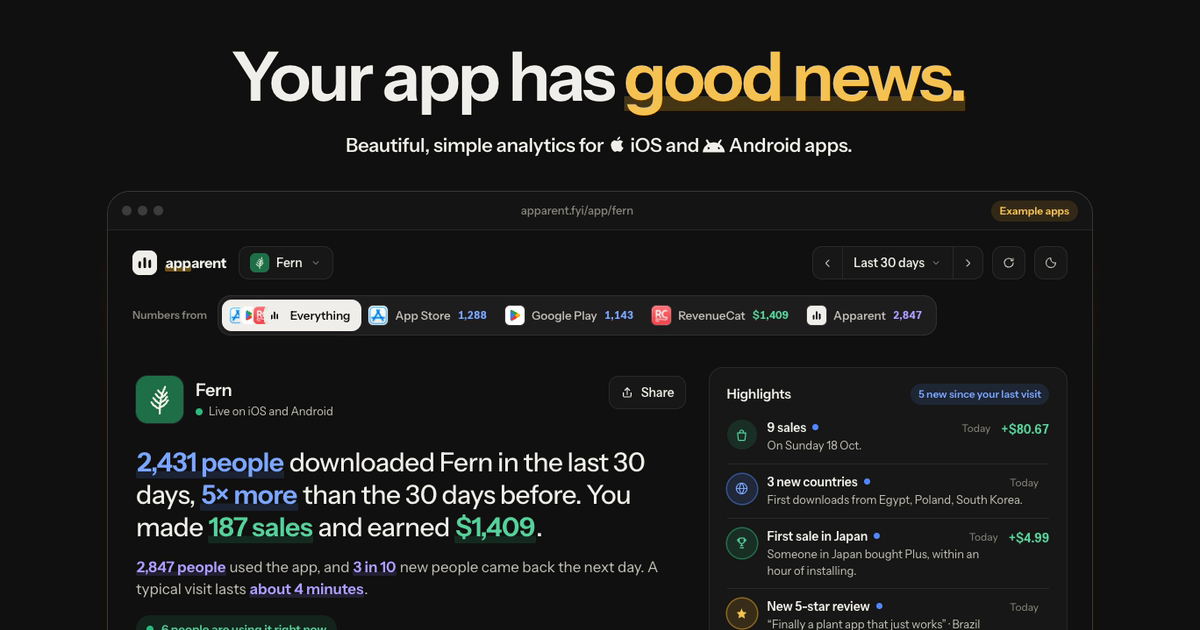
 Fernfrom
412 people opened Fern yesterday; 38 of them were new.
- 1 in 4 people who added a plant on day one came back a week later.
- Mixpanel and Apparent's SDK agree on 97% of yesterday's people.
Connecting Mixpanel
- Create a Mixpanel service account with read access to your project and paste its username and secret.
- Pick the Mixpanel project for each app.
- Apparent reads the history in the background, two weeks at a time.
How fresh the numbers are
New events are read about every 10 minutes.
What Mixpanel still does
Mixpanel goes deeper with custom funnels, flows and cohorts, session replay and experiments. Keep it if your team builds those reports. Apparent reads your events; it never sends or changes anything in Mixpanel.
Questions
Can I switch from Mixpanel without losing history?
Yes. Apparent reads your past Mixpanel events, so your charts start where they left off.
Can I run Mixpanel and Apparent together?
Yes. While both run, someone both saw is counted once, and you can read each source on its own.
Does it work with Mixpanel's EU and India data centres?
Yes. Pick the region your project lives in.
What does it cost?
Nothing while Apparent is in beta.